
OntoCreator#
OntoCreator creates a new, empty OWL source that you own. You name it, give it a graph URI and, if you want, import other sources, describe it and upload a graph. Then you open it in Lineage or in MappingModeler.
Before you start#
OntoCreator is not available to everyone:
The tool must be in the allowed tools of your profile.
Your profile must allow source creation (
allowSourceCreation), and the number of sources you already own must be lower than its limit (maxNumberCreatedSource, 2 by default). Administrators have no limit. See Access rights and quotas.
If creation is refused, OntoCreator shows the reason instead of the questions:
Your profile does not allow creating sources.You already own N sources, your profile allows M. Delete one in UserSettings > Sources, using the trash icon, to create a new one.
Create a source#
Select OntoCreator in the Tool menu of the top panel. The tool is a short conversation: it asks one thing at a time.
Enter source label. This is the name of the source, the one you will pick in the other tools.
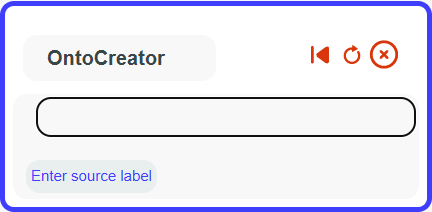
The name must have 2 to 255 letters, digits,
-or_, and start with a letter or a digit. It cannot beadmin, and it cannot be the name of another source (the case is ignored) or of a group.Please select an option. Choose how the source starts:
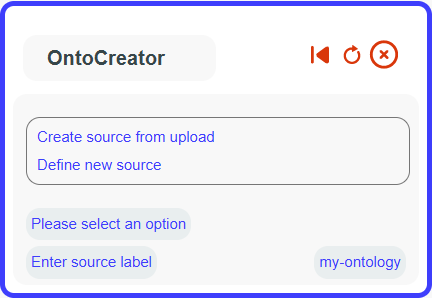
Define new source: you give the graph URI, the source starts empty.
Create source from upload: you already have a file that contains an
owl:Ontology, and the tool takes the graph URI from it.
Define a new source#
Enter source graphUri. The address starts with
http://. The tool checks that it is a valid URL. The graph URI is the name of the graph in the triple store, and the base of the URIs of the source. A graph URI already used by another source is refused for a non-administrator.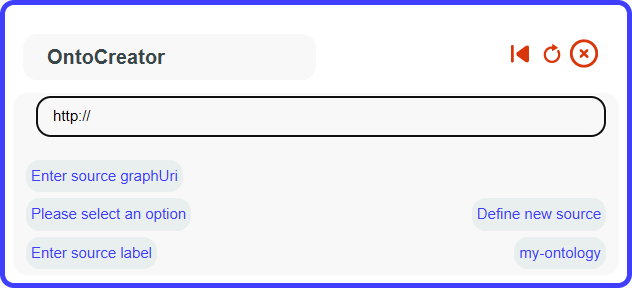
Choose what to do next:
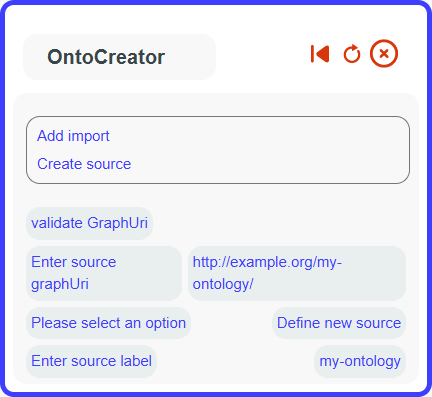
Add import lists the existing sources. Click one to import it: its content is then loaded with your source in Lineage. You can import several sources, one after the other.
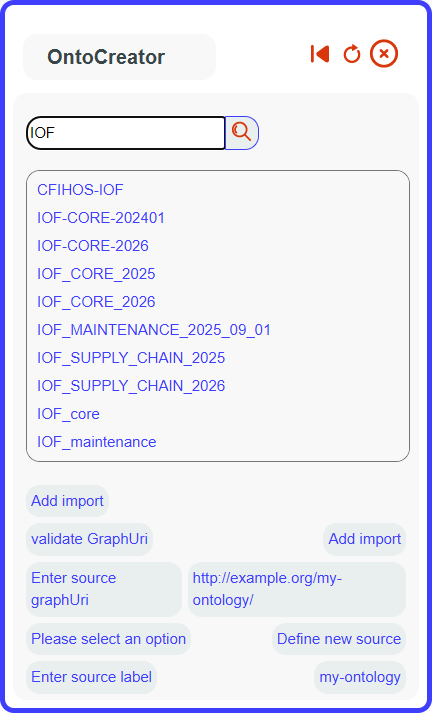
Create source creates the source.
After the creation, the tool offers three more steps:
Upload graph: opens the upload window to load a file into the graph of the source.
Add description: asks for an Ontology description, saved in the graph as a
dc:description, in English.Finish.
Create a source from an upload#
Upload graph, then choose your file. The file goes to a temporary graph.
Optionally Add import, then Create source.
The tool reads the
owl:Ontologyof your file and uses its URI as the graph URI. If it finds none, it asks for the graph URI: type it. The graph is then moved to its final place, and the temporary source is deleted.
After the creation#
The last choice opens the new source:
Launch Lineage opens Lineage on the new source.
Launch Mapping Modeler opens MappingModeler on it.
Add Ontology Metadata lets you add the description of the ontology.
The source also appears in UserSettings, under Sources, where you can delete it with the trash icon.
What is created#
A source of type OWL, stored in the SousLeSens triple store, with the graph URI you gave and the imports you chose.
You are its owner, and it is private: it sits in your own group and is not published. To publish or share it, ask an administrator.
The graph holds a
dc:creatortriple with your login, and your description if you wrote one. Everything else comes from the file you upload.
When it does not work#
Message |
What it means |
|---|---|
|
The label is empty. |
|
The label has a forbidden character. |
|
A source with this name exists. |
|
The label is also the name of a group. |
|
The graph URI is not a valid address. |
|
Another source already uses this graph. |
|
Your file has no |